> For the complete documentation index, see [llms.txt](https://docs.bitnbox.com/llms.txt). Markdown versions of documentation pages are available by appending `.md` to page URLs; this page is available as [Markdown](https://docs.bitnbox.com/guides/test-mode.md).
# Test Mode
## Introduction
Test mode is a sandbox environment for developers to test integration before going live. When test mode is enabled, you can make payments and payouts on test networks of supported blockchains. For example, Ethereum Sepolia.
You can get native tokens to pay for gas and stablecoins to make payments for free using the links below. While Test mode allows for transactions, please remember that these transactions utilize testnet tokens which have no real-world value.
## Enable Test Mode
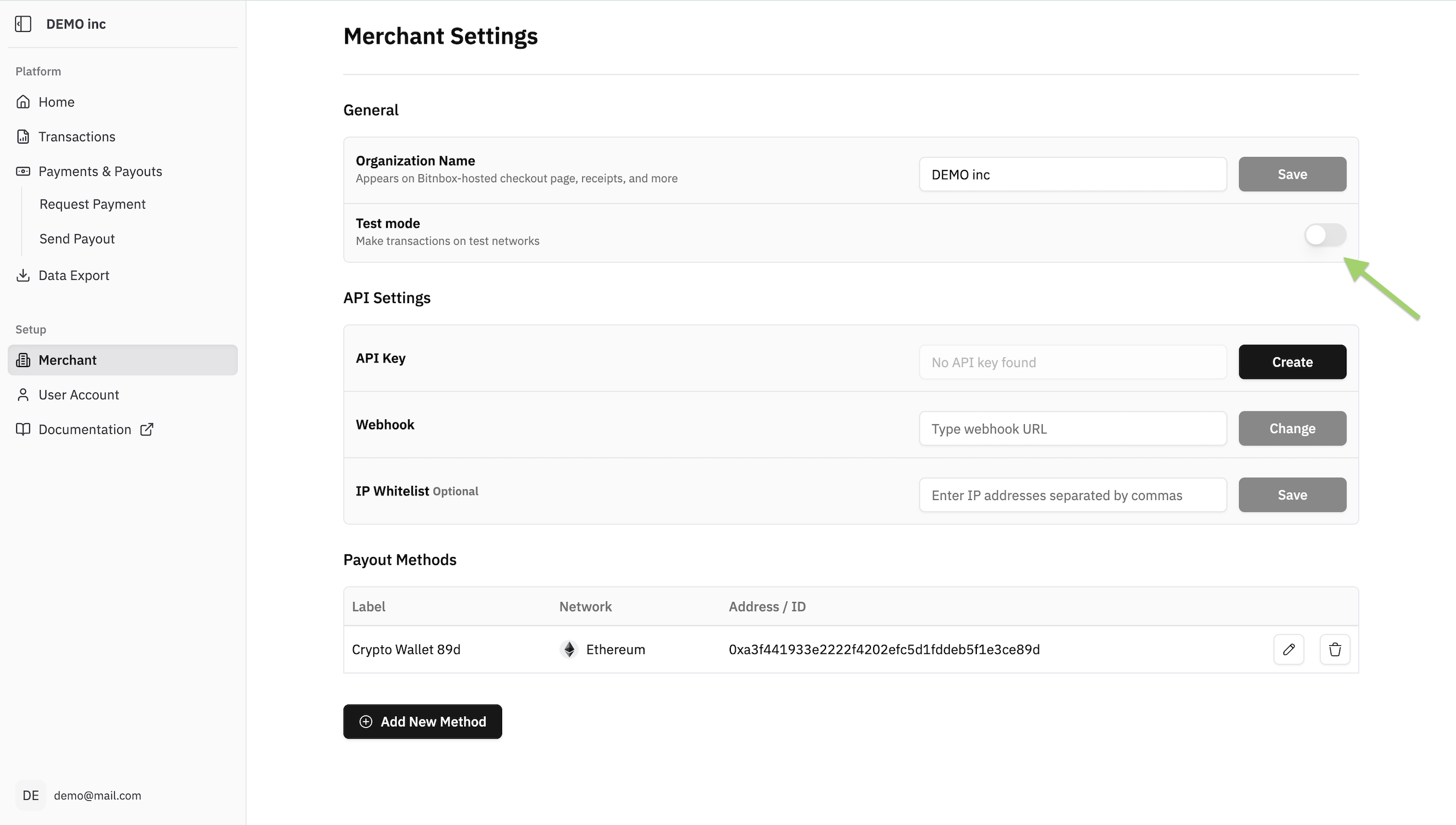
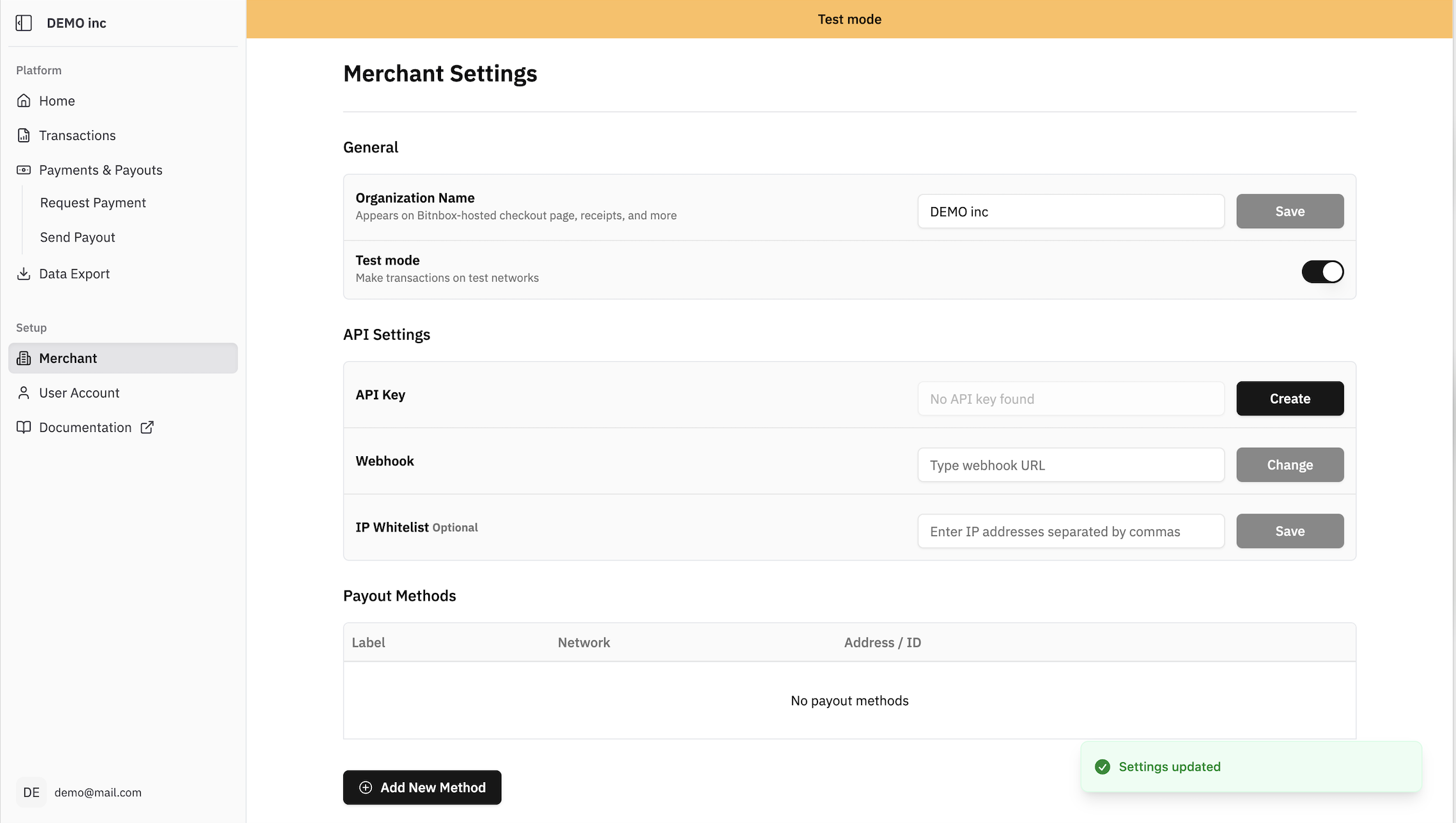
Go to **Setup. Merchant Account → Settings → Enable Switch Test Mode Toggle → Click Save**
## Ethereum Sepolia
### Getting Started Checklist
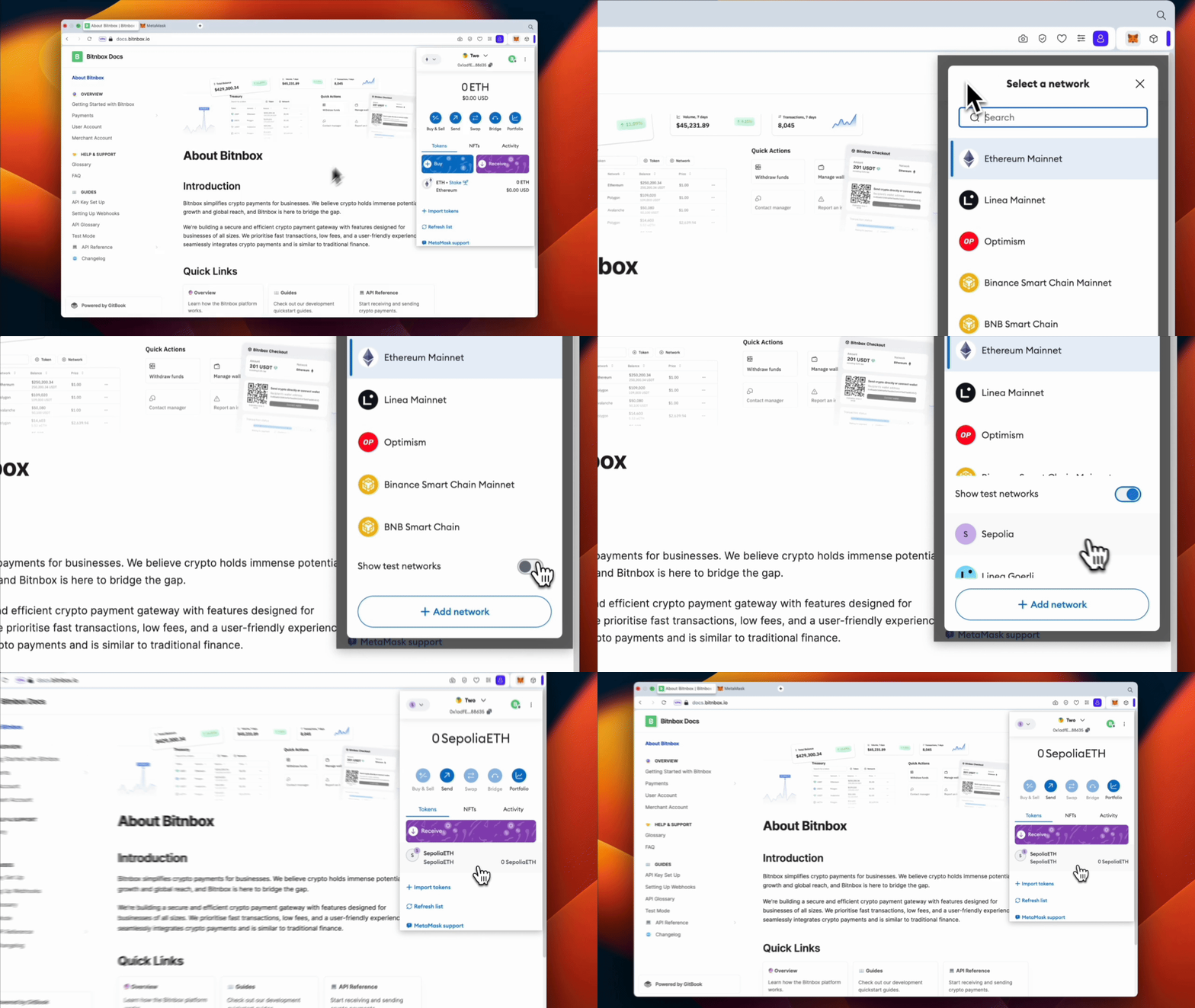
* [ ] Switch to Sepolia Network
* [ ] Get ETH (using one of the links below)
{% hint style="info" %}
You need at least 0.001 ETH on mainnet to get ETH from a faucet.
{% endhint %}
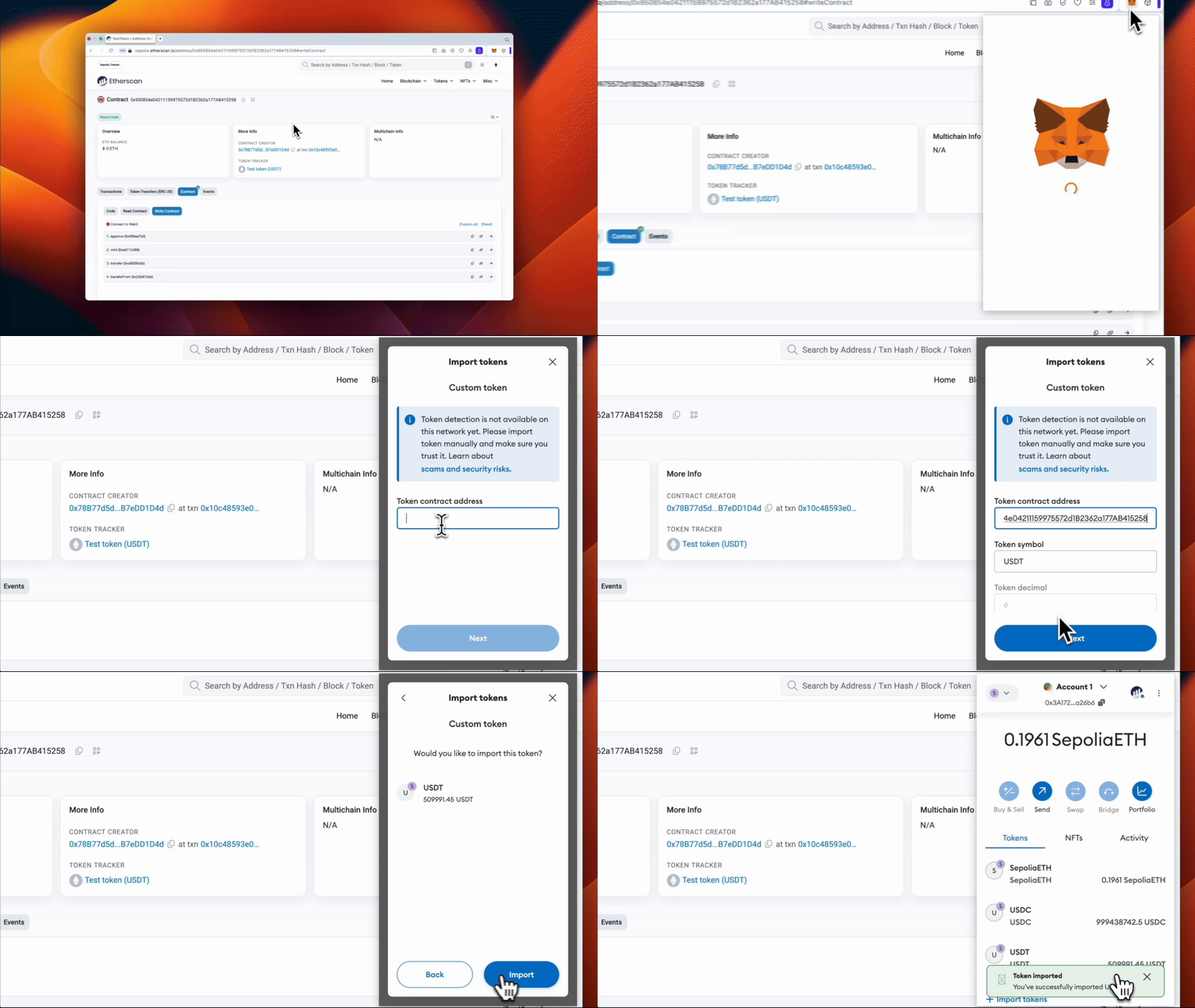
* [ ] Get stablecoins (using one of the links below)
* [ ] Add stablecoins to the wallet
### Useful Links
* **Get ETH:**
* [Ether (faucet #1)](https://faucet.quicknode.com/ethereum/sepolia)
* [Ether (faucet #2)](https://faucets.chain.link/sepolia)
* [Ether (faucet #3)](https://www.alchemy.com/faucets/ethereum-sepolia)
* [Ether (faucet #4)](https://www.infura.io/faucet/sepolia)
* **Get stablecoins:**
* [USDT](https://sepolia.etherscan.io/address/0x950854e04211159975572d1B2362a177AB415258#writeContract)
* [USDC](https://sepolia.etherscan.io/address/0xB22f3a0C2243C6DEB33D5D8b382D8c1D5F12B7Ea#writeContract)
## Polygon Amoy
### Getting Started Checklist
* [ ] Add Polygon Amoy Network
* [ ] Get MATIC (using one of the links below)
* [ ] Get stablecoins
* [ ] Add stablecoins to the wallet
### How to add Polygon Amoy to MetaMask
| Network name | Polygon Amoy |
| ----------------------------- | ------------------------------------- |
| New RPC URL | |
| Chain ID | 80002 |
| Currency symbol | MATIC |
| Block explorer URL (Optional) | |
### Useful Links
* **Get MATIC:**
* [MATIC (faucet #1)](https://faucet.quicknode.com/polygon/amoy)
* [MATIC (faucet #2)](https://faucets.chain.link/polygon-amoy)
* [MATIC (faucet #3)](https://www.alchemy.com/faucets/polygon-amoy)
* **Get stablecoins:**
* [USDT](https://www.oklink.com/amoy/address/0x2f795ec61f302cbcaac8142804245c649e4d6e49/contract#category=write)
* [USDC](https://www.oklink.com/amoy/address/0xf1cdd1fa3f0e307f32d964043eca7cc75d8802be/contract#category=write)
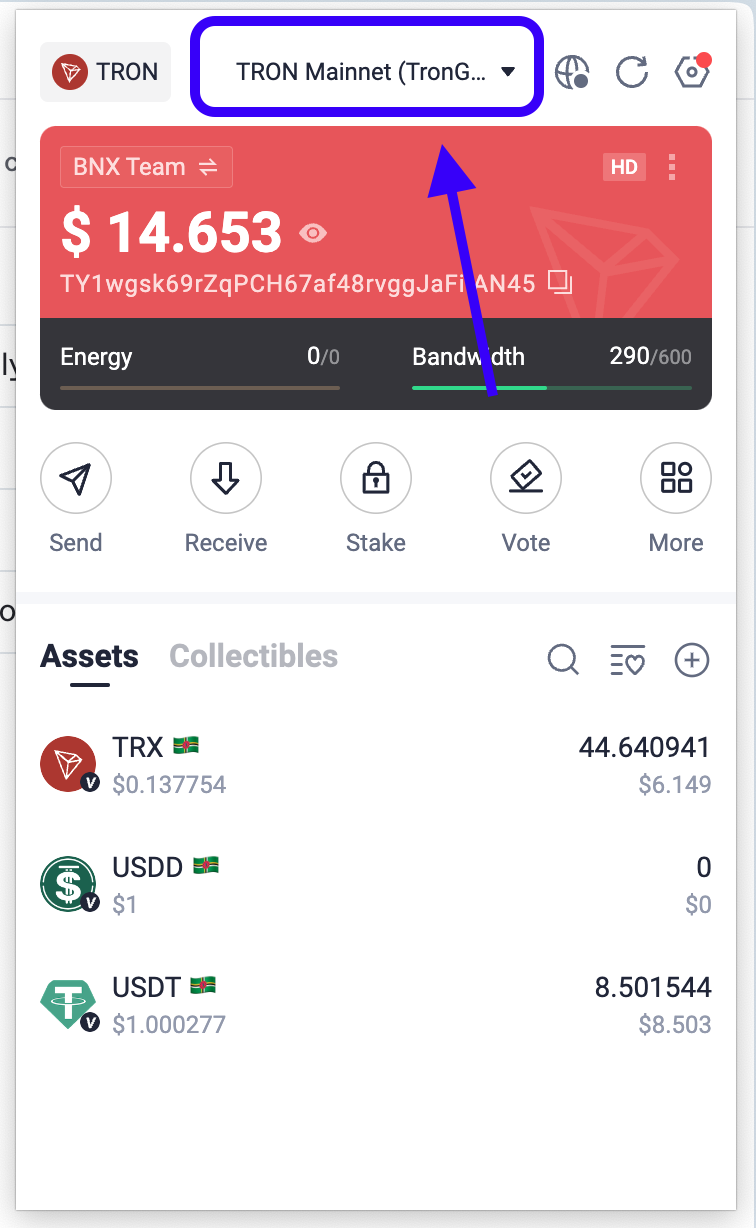
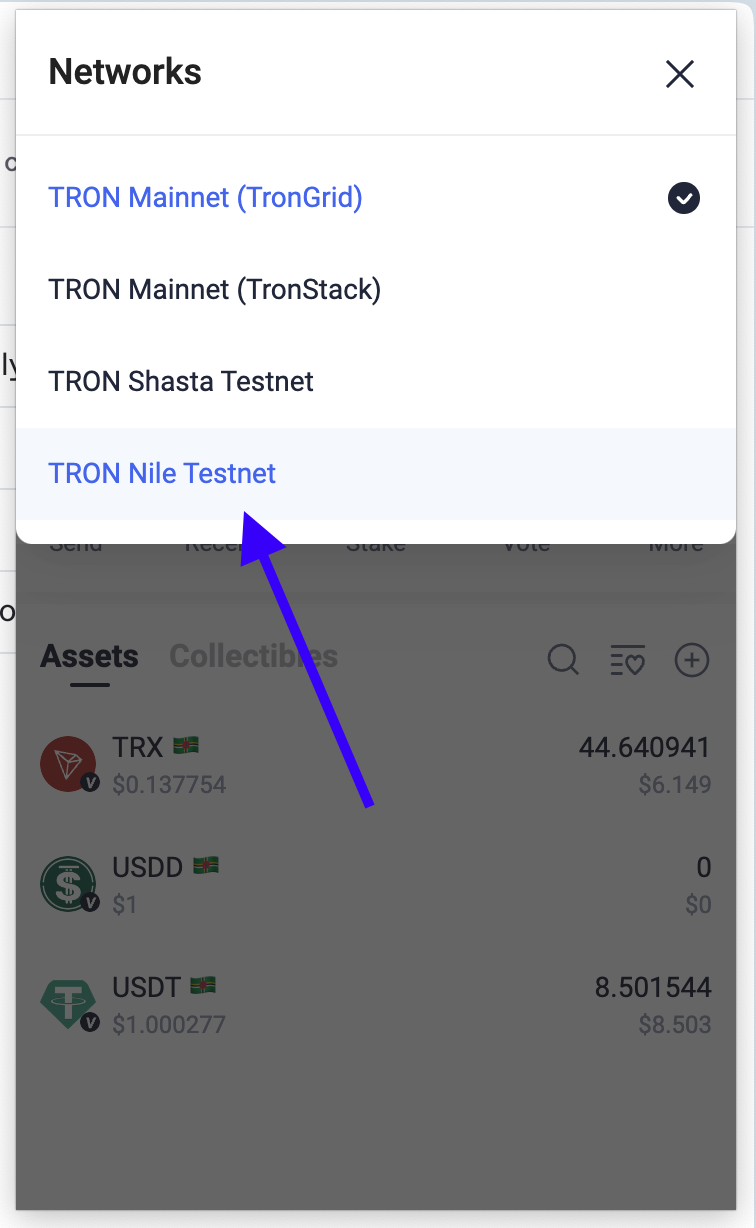
## Tron Nile
* Get TRX:
* [TRX (faucet #1)](https://nileex.io/join/getJoinPage)
* [TRX (faucet #2)](https://faucet.triangleplatform.com/tron/nile)
* Get stablecoin:
* [USDT](https://nile.tronscan.org/#/contract/TMUhGWqJSgztq88BXWat5JXmybL9GswJkF/code)